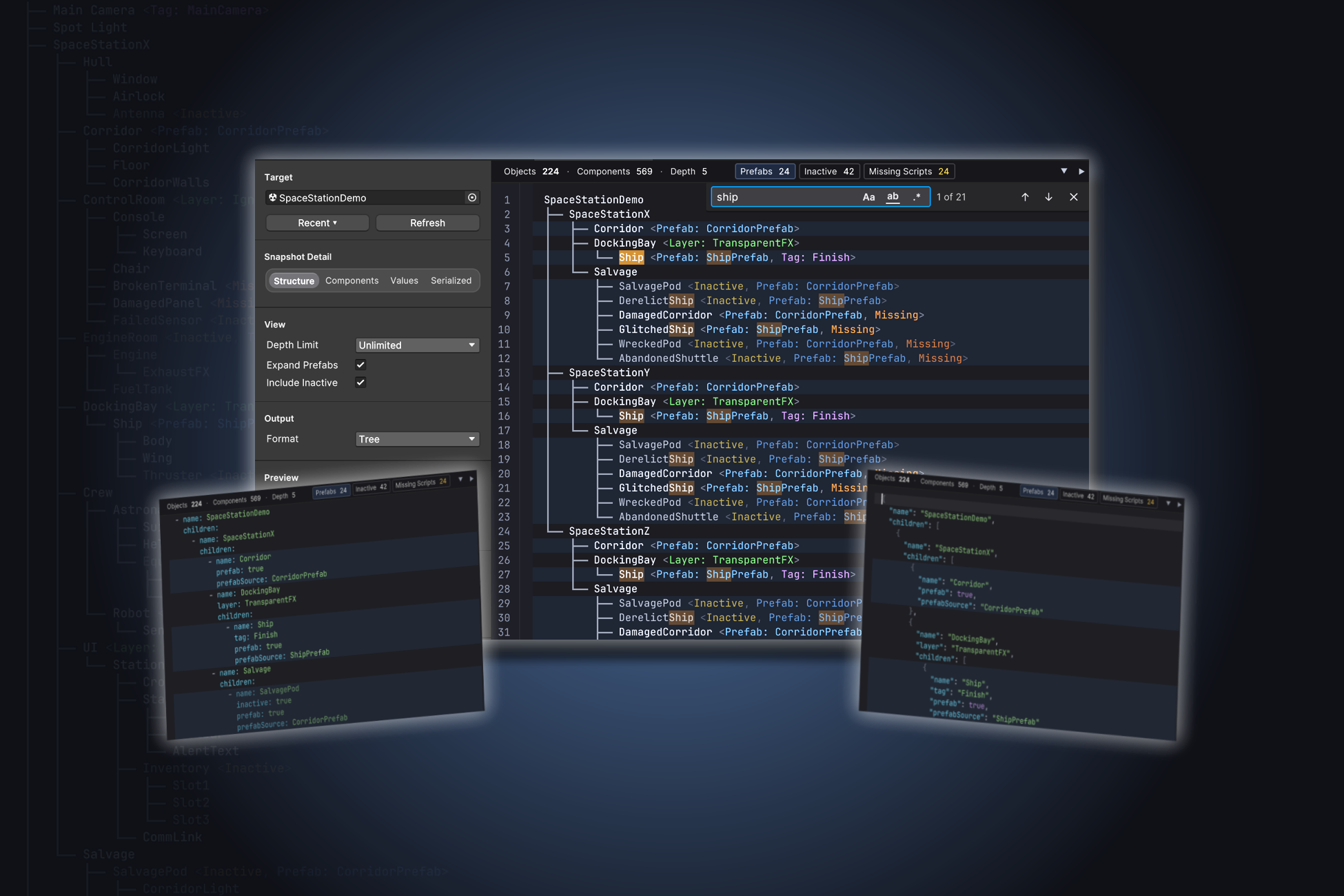

Hierarchy Exporter
Capture Unity scene and prefab hierarchies as readable, structured documents — Tree, JSON, YAML, or Markdown.
Editor-only · Unity 2021.3+ · All render pipelines · No dependencies
Hierarchy Exporter is a Unity Editor tool for capturing the structure of any GameObject, prefab, or scene and exporting it in formats that are easy to read, share, and version-control. It was built around three constraints: output that's deterministic enough to diff in version control, native Editor integration that feels like part of Unity rather than an add-on, and the ability to handle scenes with hundreds of thousands of objects without locking up the Editor.
The tool is Editor-only — no runtime code ships with your game, and there are no external dependencies. Source is included.
See it in action
90 seconds — full feature walkthrough.
Explore Any Unity Hierarchy
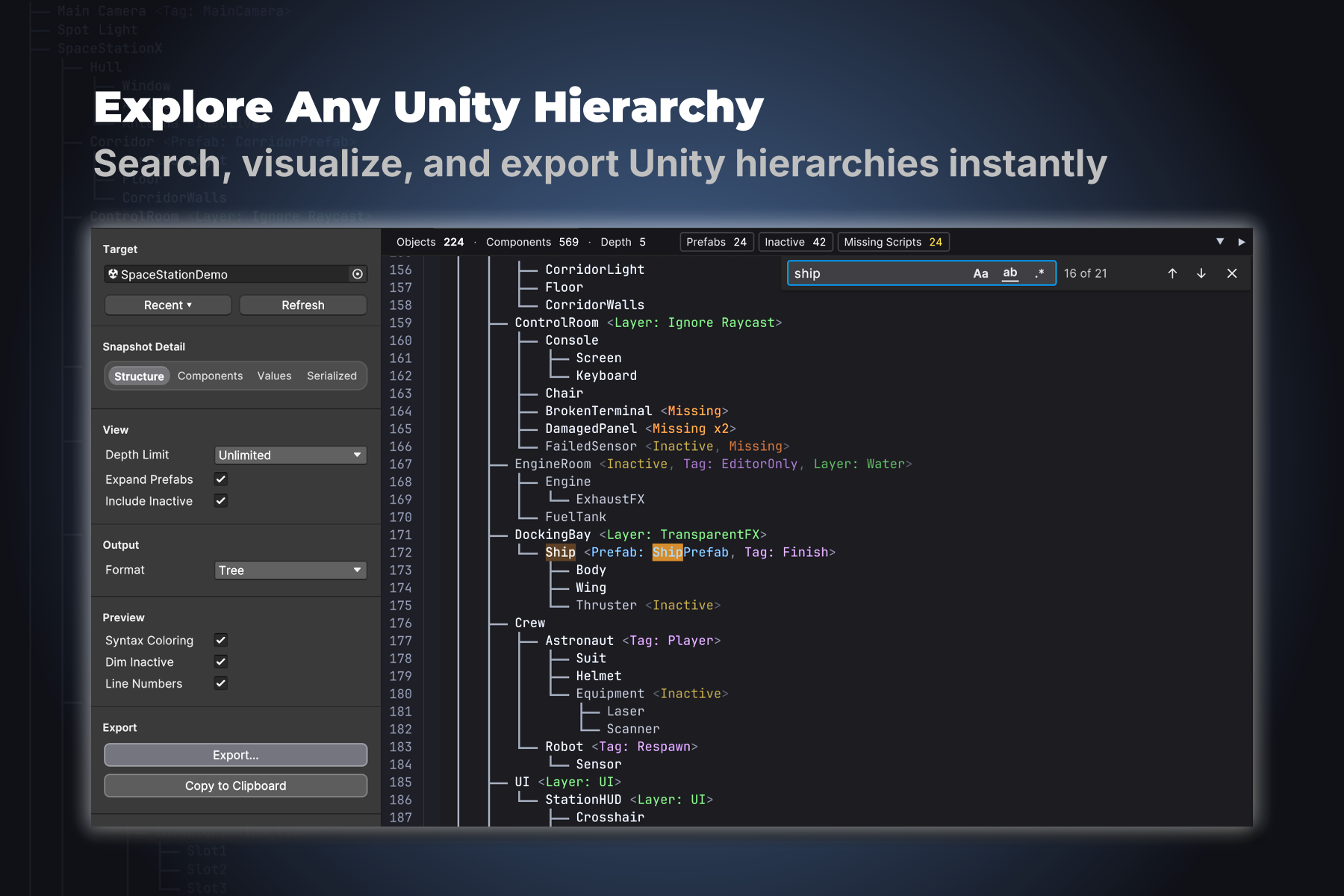
The main window is a fully interactive viewer with syntax coloring, line numbers, code folding, and VS Code–style search (case-sensitive, whole word, regex). Drag any GameObject, prefab asset, or scene asset into the target field — or right-click in Unity's Hierarchy window and choose Export Hierarchy… to open the tool with that object pre-selected.
Find Scene Problems Fast
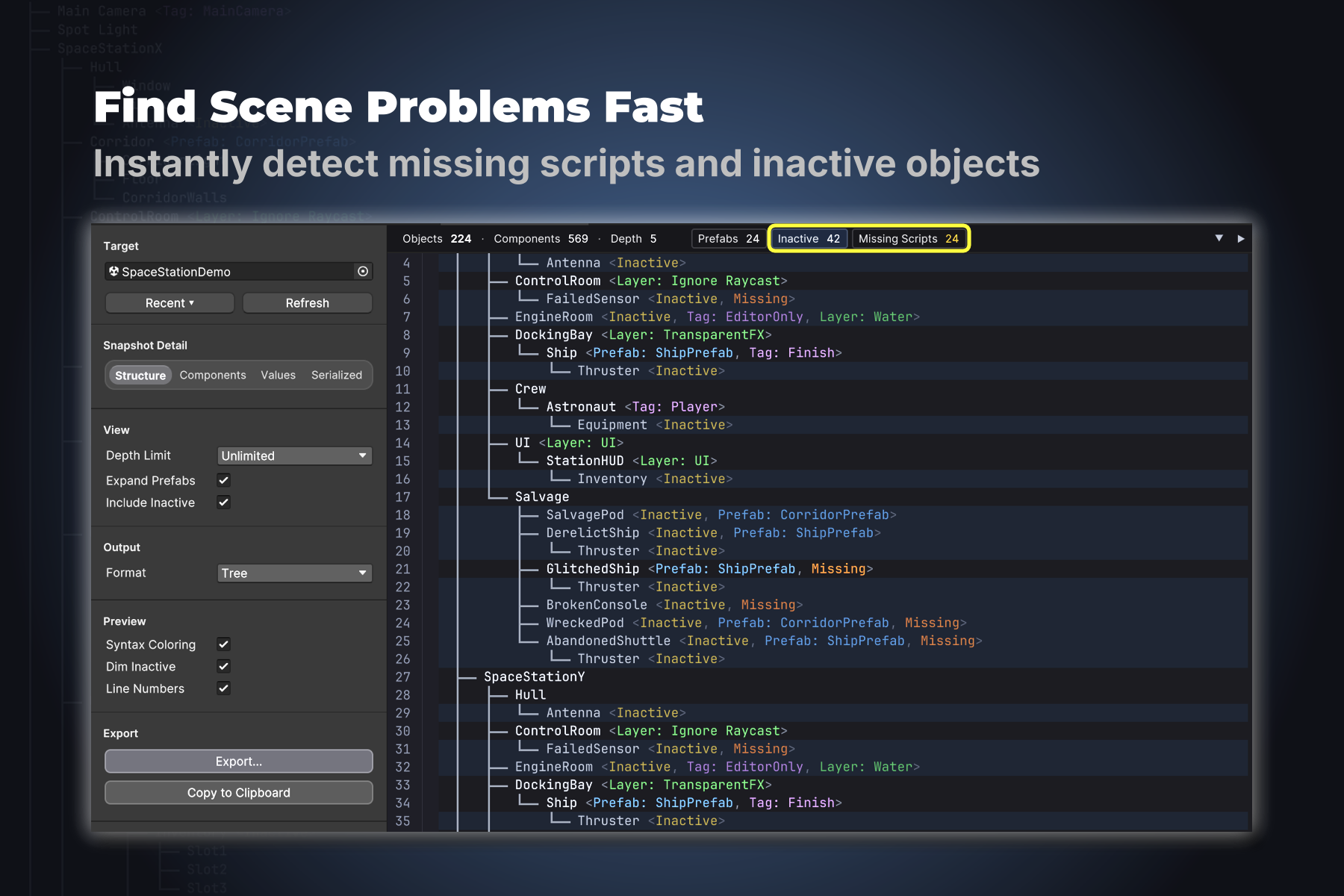
Filter chips at the top of the preview show counts at a glance: prefabs, inactive objects, missing scripts. Click any chip to filter the view to just those nodes. Useful for auditing scenes before a milestone, or hunting down broken references after a refactor.
Four Output Formats
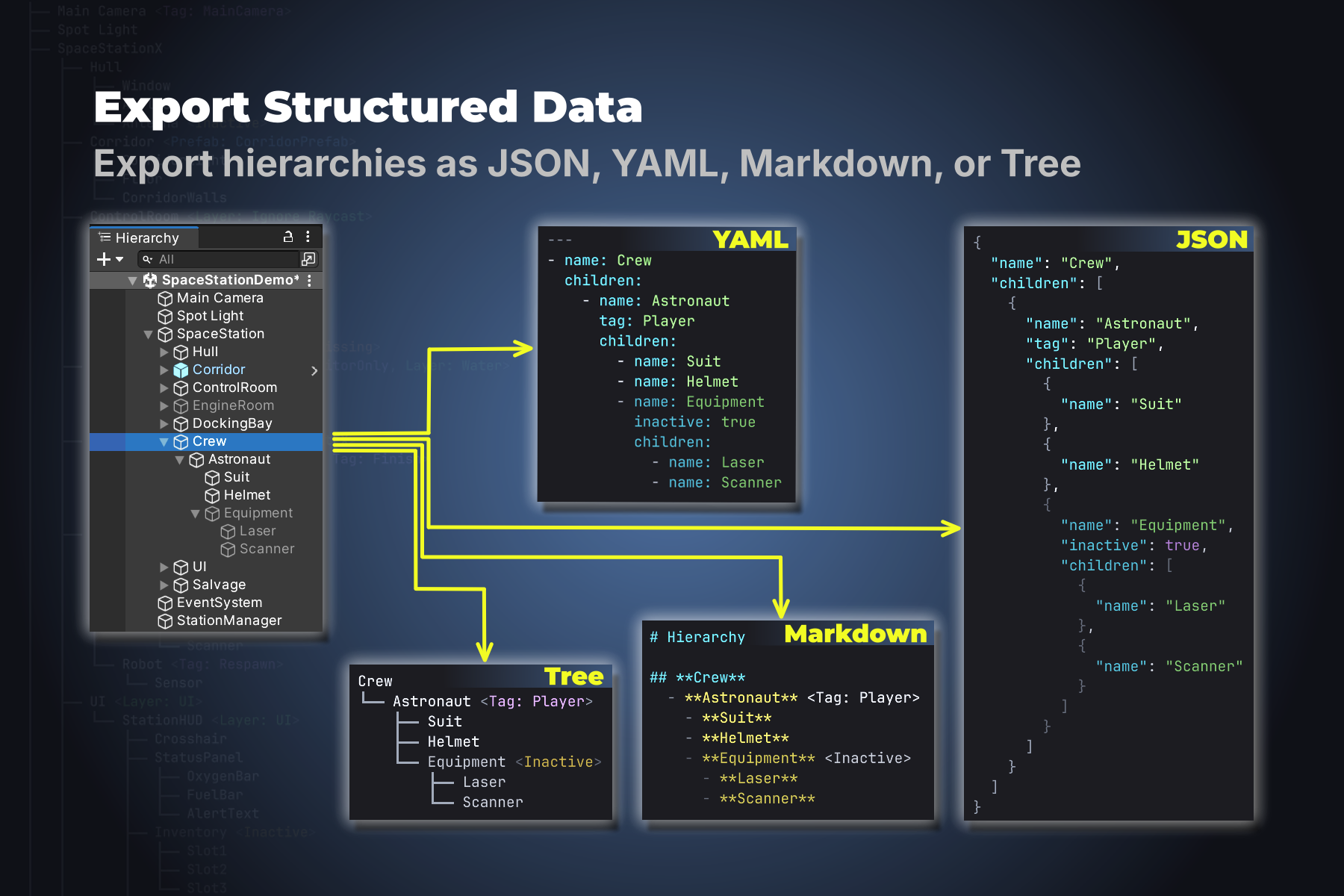
Tree (human-readable with Unicode box-drawing), JSON (RFC 8259), YAML (YAML 1.2 Core Schema), or Markdown (CommonMark). Same hierarchy, four views — each tuned for a different audience: humans reading, machines parsing, or documents being shared.
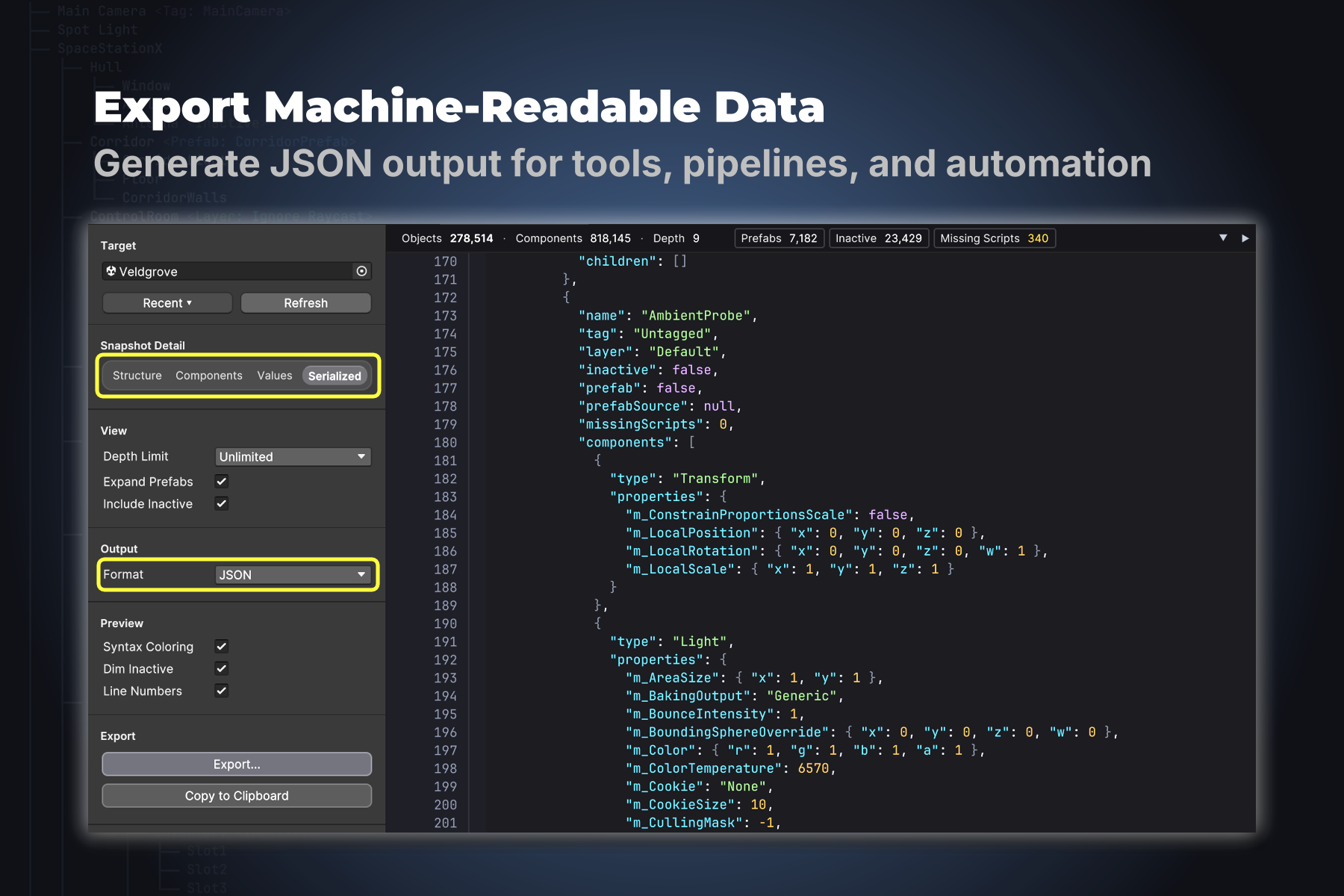
Machine-Readable Output
JSON output is structured for downstream tooling — pipeline scripts, CI checks, scene diffing, automated documentation. Four detail levels (Structure, Components, Values, Serialized) let you control how deep the export goes, from names-only to fully serialized fields including custom MonoBehaviour data.
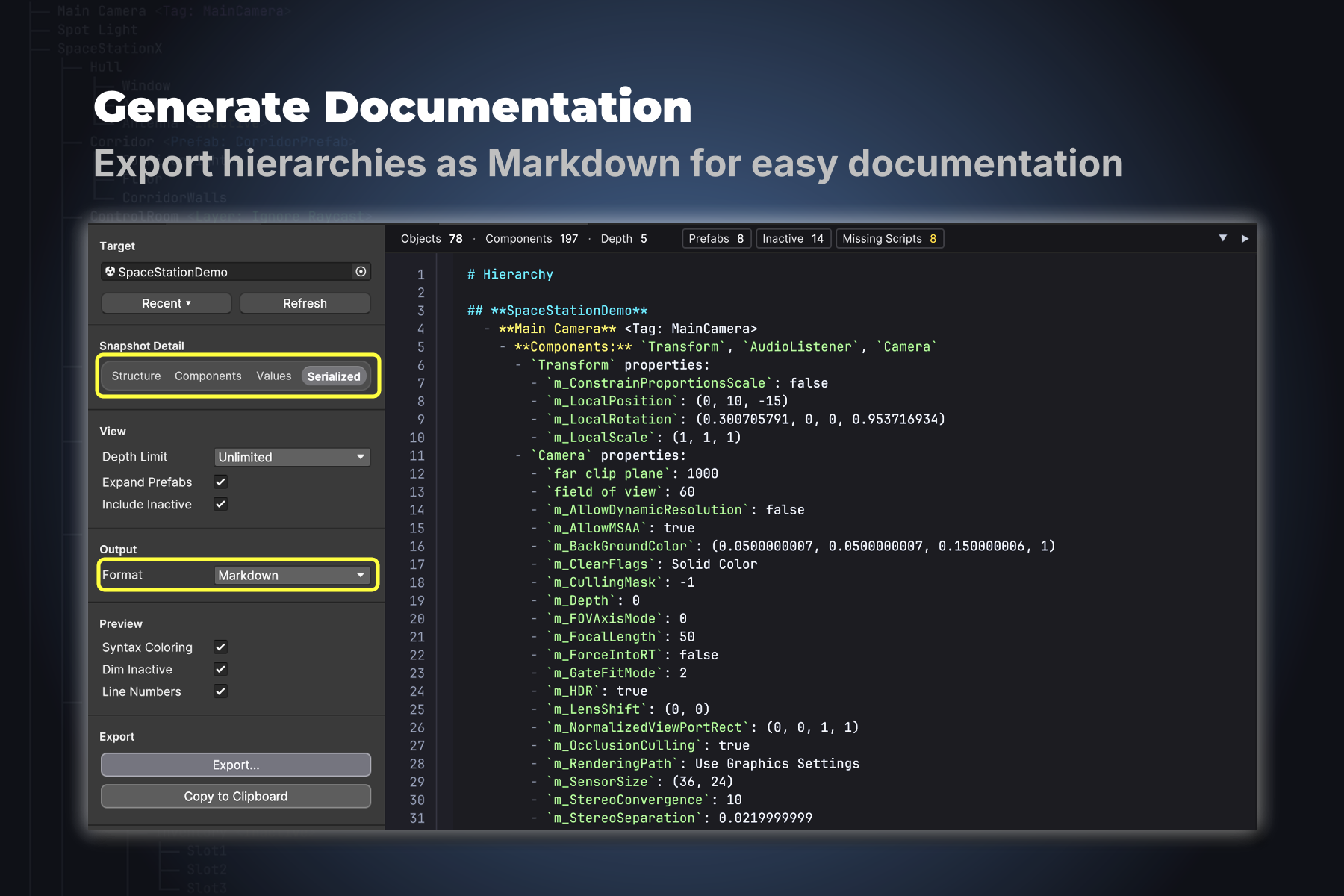
Generate Documentation
Markdown output drops cleanly into pull requests, design docs, wikis, and GitHub issues. Combined with Serialized detail, it produces a complete Inspector-style snapshot that's both diff-friendly and reviewable by people who don't have the Editor open.
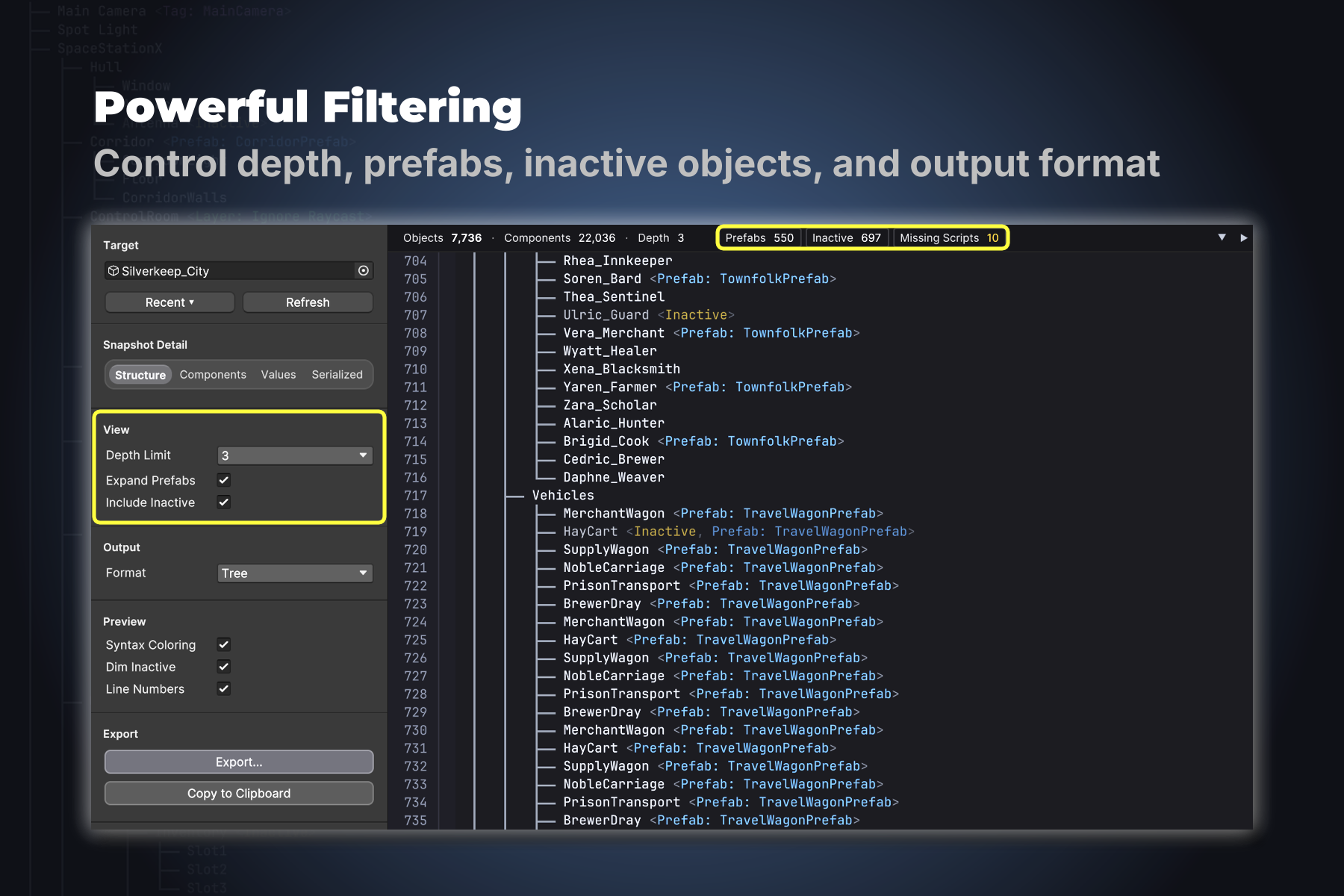
Powerful Filtering
Beyond the filter chips, the View panel controls depth limit (1–10 levels or unlimited), prefab expansion, and inactive object inclusion. A content filter bar adds per-value filtering on Tag, Layer, and Prefab source via context menu — useful for narrowing massive scenes down to just the part you care about.
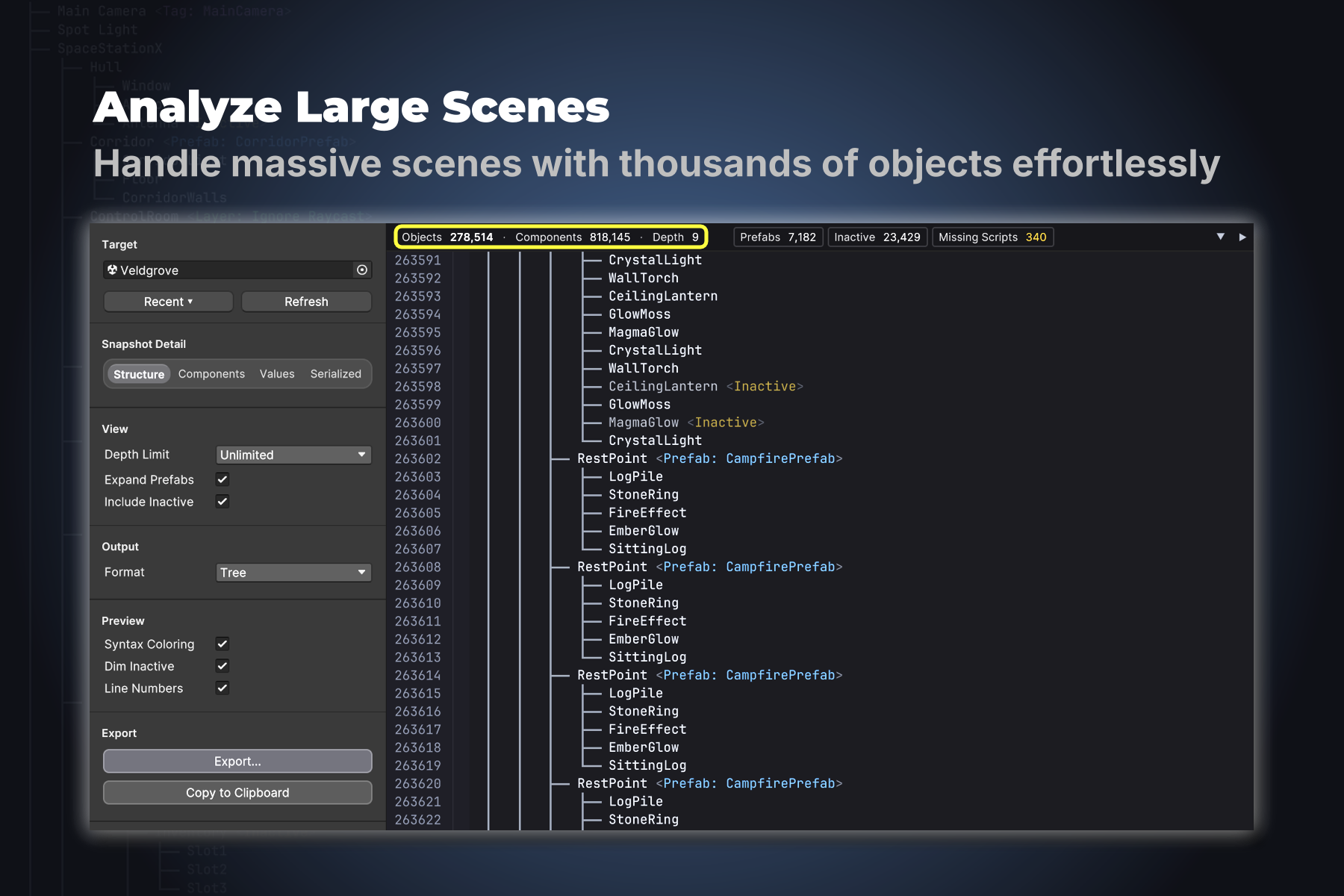
Built for Large Scenes
Incremental traversal, viewport virtualization, and parallel formatting on background threads keep the preview responsive whether you're looking at 200 nodes or 280,000. Capture once, transform many times — re-formatting and re-filtering happen without re-walking the scene.
Compatibility
- Unity
- 2021.3 LTS or later (Unity 6 supported)
- Render pipelines
- Built-in, URP, HDRP, Custom
- Platforms
- Windows, macOS, Linux
- Runtime footprint
- None — Editor-only tool
- Dependencies
- None
- Source code
- Included
What people use it for
Code reviews. When a scene's hierarchy changes, paste a Markdown export into the pull request description. Reviewers see what moved without opening Unity.
Pre-milestone audits. Filter to Inactive and Missing Scripts. See in seconds whether anything was left disabled or whether component references broke during a refactor.
Documentation for non-Unity teammates. Export a complex prefab as Markdown and drop it into a Notion page or design doc. Producers, QA, and other collaborators get readable structure without needing the Editor.
Diff-friendly version control. Commit a JSON or YAML export alongside your scene files for human-readable diffs. Reviewers see what actually changed — not the noise that Unity's native scene diffs produce.
Quick start
- Open
Tools > Hierarchy Exporter. - Drag a GameObject, prefab, or scene into the target field.
- Choose a format and detail level.
- Click
Copy to ClipboardorExport…to save.
Right-click any GameObject in the Hierarchy window and choose Export Hierarchy… to open the tool with that object pre-selected.
Support
Questions, bug reports, and feature requests go to support@darnelix.com . Replies usually within a couple of business days.