Generate item icons from prefabs in Unity
Render each prefab with a throwaway camera that culls everything except the prefab, read the RenderTexture back, and write it out with EncodeToPNG.
Applies to Unity 2022.3 LTS through Unity 6.3 LTS
The instinct is to drop each prefab into the scene, frame the Game view and take a
screenshot. Do not: ScreenCapture.CaptureScreenshot captures the Game
view, it is not synchronous, and in the editor it will hand you last frame's pixels
or nothing at all. Render to a texture instead — it is synchronous, it is exact, and
it never touches what you can see.
First, the free version you might already be done with
Unity renders a thumbnail for every prefab in the Project window, and you can just take it:
using System.IO;
using UnityEditor;
using UnityEngine;

/// <summary>
/// The three-line version: save the thumbnail Unity already renders for the
/// Project window. Editor/ folder. Good enough for placeholder icons.
/// </summary>
public static class SaveUnityPreview
{
    [MenuItem("Assets/Save Unity Preview as PNG")]
    static void Save()
    {
        var prefab = Selection.activeObject as GameObject;
        if (prefab == null)
        {
            return;
        }

        // GetAssetPreview is ASYNCHRONOUS: it returns null until the preview
        // has been rendered, so a single call on a cold cache gives you nothing.
        Texture2D preview = AssetPreview.GetAssetPreview(prefab);
        if (preview == null)
        {
            Debug.Log("Preview not ready — run the command again in a moment.");
            return;
        }

        File.WriteAllBytes($"Assets/{prefab.name}-preview.png", preview.EncodeToPNG());
        AssetDatabase.Refresh();
    }
}
Three lines of real work. If placeholder icons are what you need, stop here.
The catch is that you get Unity's preview, at the size Unity builds previews at, framed the way Unity frames them, on the checkered background Unity uses. There is no camera angle, no lighting, no transparent alpha and no resolution control. For blocking out an inventory UI that is completely fine. For shipping art it is not.
Rendering the prefab yourself
The controlled version is four moves: instantiate the prefab onto a layer nothing
else uses, point a camera that culls every other layer at a
RenderTexture, ReadPixels it back into a
Texture2D, and encode that to PNG.
using System.IO;
using UnityEditor;
using UnityEngine;

/// <summary>
/// Renders one prefab to a transparent PNG at a resolution you choose.
/// Editor/ folder. The instance exists only for the duration of this call.
/// </summary>
public static class PrefabIconRenderer
{
    const int Size = 512;

    /// <summary>A layer nothing else in the project uses. The camera sees only this.</summary>
    const int IconLayer = 31;

    public static void Render(GameObject prefab, string pngPath)
    {
        GameObject instance = Object.Instantiate(prefab);
        SetLayerRecursively(instance, IconLayer);
        instance.transform.position = new Vector3(0f, 10000f, 0f);

        var cameraObject = new GameObject("IconCamera");
        Camera camera = cameraObject.AddComponent<Camera>();
        camera.cullingMask = 1 << IconLayer;   // your scene is not in the shot
        camera.clearFlags = CameraClearFlags.SolidColor;
        camera.backgroundColor = new Color(0f, 0f, 0f, 0f);   // alpha 0 = transparent
        camera.orthographic = true;

        Frame(camera, instance);

        var target = new RenderTexture(Size, Size, 24, RenderTextureFormat.ARGB32);
        camera.targetTexture = target;
        camera.Render();

        RenderTexture previous = RenderTexture.active;
        RenderTexture.active = target;
        var png = new Texture2D(Size, Size, TextureFormat.RGBA32, false);
        png.ReadPixels(new Rect(0f, 0f, Size, Size), 0, 0);
        png.Apply();
        RenderTexture.active = previous;

        File.WriteAllBytes(pngPath, png.EncodeToPNG());

        camera.targetTexture = null;
        Object.DestroyImmediate(png);
        Object.DestroyImmediate(cameraObject);
        Object.DestroyImmediate(instance);
        target.Release();
        Object.DestroyImmediate(target);
    }

    /// <summary>Fits the camera to the renderers, including ones on inactive children.</summary>
    static void Frame(Camera camera, GameObject instance)
    {
        Bounds bounds = default;
        bool any = false;

        // `true` = include inactive. A sheathed sword or a hidden LOD is still
        // part of the silhouette you are framing.
        foreach (Renderer renderer in instance.GetComponentsInChildren<Renderer>(true))
        {
            if (any)
            {
                bounds.Encapsulate(renderer.bounds);
            }
            else
            {
                bounds = renderer.bounds;
                any = true;
            }
        }
        if (!any)
        {
            return;
        }

        float distance = bounds.size.magnitude;
        camera.transform.position = bounds.center + new Vector3(0f, 0f, -distance);
        camera.transform.LookAt(bounds.center);
        camera.orthographicSize = bounds.extents.magnitude;   // shrink for a tighter crop
        camera.nearClipPlane = 0.01f;
        camera.farClipPlane = distance * 4f;
    }

    static void SetLayerRecursively(GameObject target, int layer)
    {
        target.layer = layer;
        foreach (Transform child in target.transform)
        {
            SetLayerRecursively(child.gameObject, layer);
        }
    }
}
The culling mask is what keeps your scene out of the frame — not the position offset, which is belt and braces.
Three things in there are the ones people get wrong the first time:
- Transparency is three settings, not one. The camera has to
clear to a colour with alpha 0, the
RenderTextureneeds an alpha channel (ARGB32), and the readback texture needs one too (RGBA32). Miss any one and you get a black background with no error. - Framing comes from the renderers, including inactive ones.
GetComponentsInChildren<Renderer>(true)— thetrueisincludeInactive. A sheathed weapon or a disabled LOD is still part of the silhouette, and leaving it out crops the icon differently for some prefabs and not others, which looks like a bug in your framing maths. - Clean up in the same call.
DestroyImmediateon the instance, the camera and the readback texture, andReleaseon the RenderTexture. An editor script that leaks a RenderTexture per prefab will run out of video memory somewhere around the two hundredth item, and the error it raises will not mention icons.
On URP and HDRP, add one more check before you blame the code: a transparent background is not automatic there. The render pipeline asset decides whether alpha survives to the target, and post-processing on the capture camera will fill it in. Turn post-processing off for this camera first. The per-pipeline details, and what glass and other semi-transparent materials do to the alpha channel, are on their own page: save a GameObject or prefab as a transparent PNG.
Doing the whole folder
One icon is a snippet; an icon set is a loop over AssetDatabase:
using System.IO;
using UnityEditor;
using UnityEngine;

public static class RenderAllItemIcons
{
    [MenuItem("Tools/Render Item Icons")]
    static void RenderAll()
    {
        const string outputFolder = "Assets/Icons";
        Directory.CreateDirectory(outputFolder);

        string[] guids = AssetDatabase.FindAssets("t:Prefab", new[] { "Assets/Items" });

        for (int i = 0; i < guids.Length; i++)
        {
            string assetPath = AssetDatabase.GUIDToAssetPath(guids[i]);
            var prefab = AssetDatabase.LoadAssetAtPath<GameObject>(assetPath);

            EditorUtility.DisplayProgressBar(
                "Rendering icons", prefab.name, (float)i / guids.Length);

            PrefabIconRenderer.Render(prefab, $"{outputFolder}/{prefab.name}.png");
        }

        EditorUtility.ClearProgressBar();
        AssetDatabase.Refresh();

        // Import them as sprites with correctly interpreted alpha, or every icon
        // gets a dark fringe where the transparent pixels were blended.
        foreach (string guid in AssetDatabase.FindAssets("t:Texture2D", new[] { outputFolder }))
        {
            string path = AssetDatabase.GUIDToAssetPath(guid);
            var importer = (TextureImporter)AssetImporter.GetAtPath(path);
            importer.textureType = TextureImporterType.Sprite;
            importer.alphaIsTransparency = true;
            importer.SaveAndReimport();
        }
    }
}
The import-settings pass at the end is what stops every icon shipping with a dark fringe.
That last block matters more than it looks. A PNG with straight alpha, imported
without alphaIsTransparency, gets its transparent pixels blended
against black during mipmap generation — so every icon picks up a dark halo at the
edges, visible only once it is scaled down in the UI. It is the single most common
“my generated icons look dirty” report, and it is an import setting, not a render
bug.
Also called
Phrased a dozen ways and always the same job: generate icons from prefabs, make inventory item icons, inventory icons from 3D models, prefab thumbnail generator. If what you need is one clean image of one object rather than a set, that is a different question with a shorter answer: save a GameObject or prefab as a transparent PNG.
The free tools worth knowing about
If you would rather not maintain the script, two genuinely free options do this well: mickdekkers' SnapshotCamera gist, which is the render-texture approach above written out in full, and Icon Generator, which wraps it in an editor window with angle and lighting controls. Neither costs anything and both will do the job.

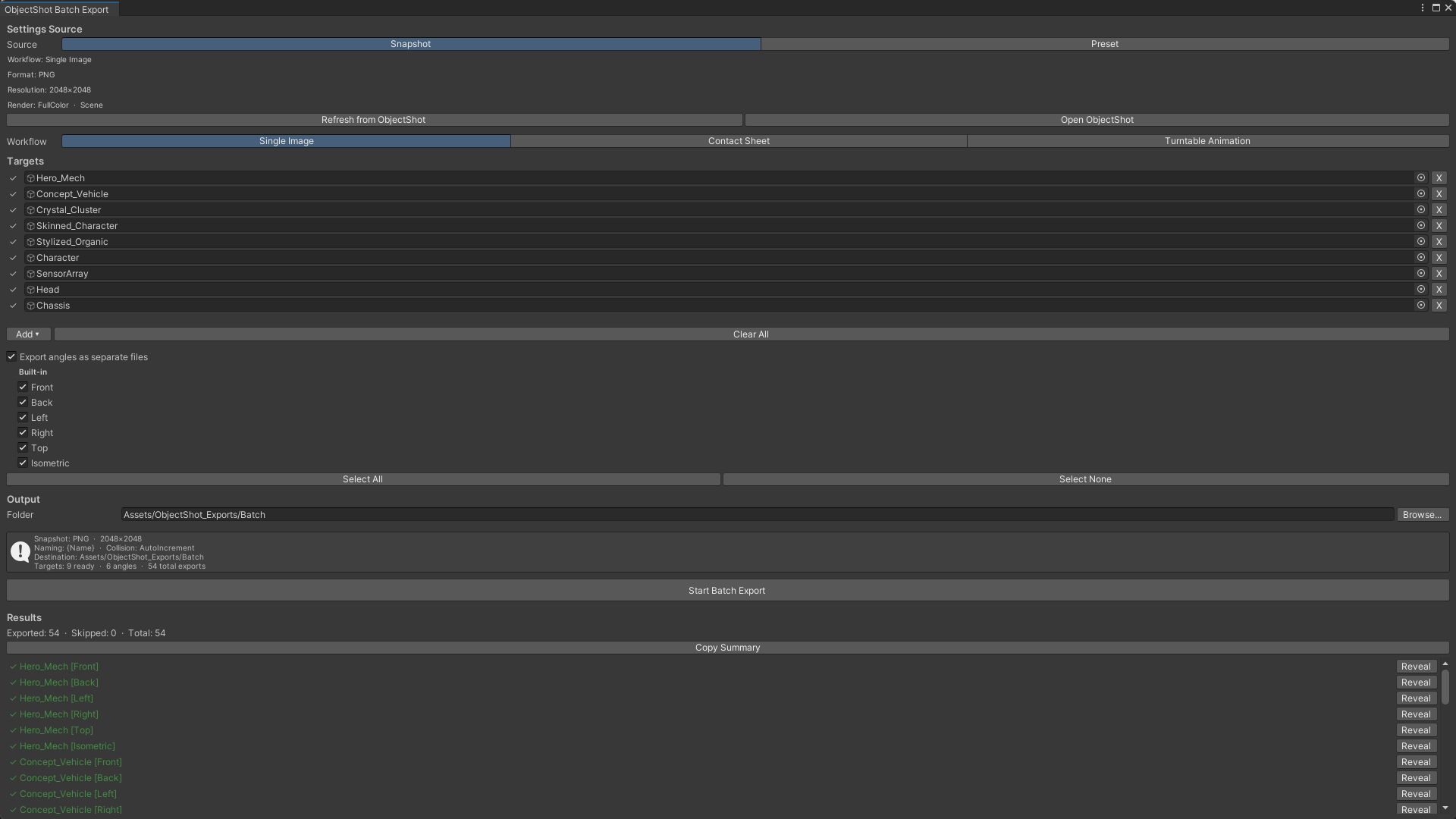
The whole icon set, re-rendered in one run whenever the art changes.
ObjectShot batch-renders a list of prefabs from every angle you tick — nine prefabs at six angles is one run and 54 files. What the live preview shows is what lands on disk, down to the pixel, and captures are deterministic, so re-exporting unchanged art does not rewrite every icon in your diff. Contact sheets, turntables and sprite sheets come out of the same window.